
Download Thor Antivirus – Fast, Secure & Complete System‑Health Protection
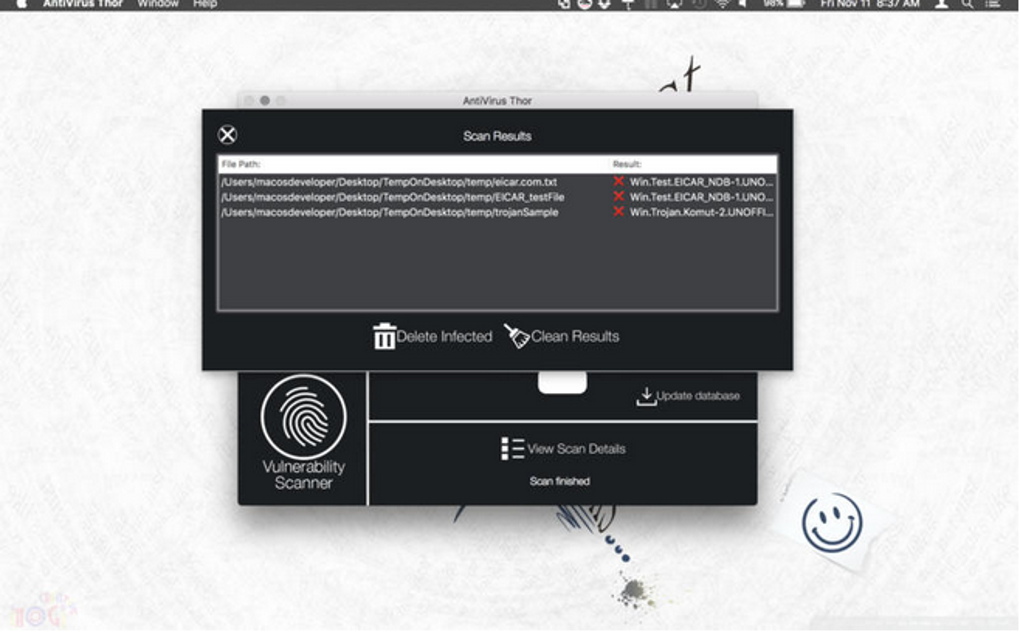
Thor Antivirus positions itself as a high‑speed, high‑efficiency security solution that does more than just block viruses. Built on a lightweight engine, it delivers rapid scans, real‑time ad‑ware blocking, and comprehensive system‑health monitoring. The product has passed the rigorous European Institute for Computer Antivirus Research (EICAR) tests, confirming its ability to detect and eradicate both traditional viruses and newer forms of malware.
Whether you’re a home user looking for a “set‑and‑forget” protector or a power user who wants detailed scan reports and vulnerability assessments, Thor offers a balanced mix of speed, simplicity, and depth. In this review we’ll explore the core features, walk through the installation process, examine compatibility across major platforms, and weigh the pros and cons based on real‑world performance. By the end you’ll know if Thor Antivirus is the right tool to download, install, and rely on for everyday protection.
Feature Overview – What Sets Thor Apart
Core Protection Engine
At its heart, Thor Antivirus uses a signature‑based engine that is constantly updated through cloud‑linked databases. This engine not only scans for known viruses but also employs heuristic analysis to flag suspicious behavior, giving it an edge against zero‑day threats. The software’s ability to pass EICAR testing means it meets industry‑standard detection rates, typically landing in the 99 %+ range for both viruses and malware.
System‑Health Suite
Beyond traditional anti‑virus functions, Thor incorporates a system‑health module that runs weekly vulnerability checks. The module evaluates outdated drivers, insecure ports, and potentially risky software configurations, then presents a concise report with actionable recommendations. This feature is especially valuable for users who want a proactive approach to security without juggling multiple utilities.
Ad‑ware & Pop‑up Blocker
Thor automatically blocks intrusive adware and pop‑ups during web browsing, which reduces bandwidth usage and improves overall browsing speed. The blocker is integrated with the real‑time scanner, so any newly detected adware is quarantined instantly, preventing it from reaching the browser’s rendering engine.
Browser History & Cache Cleaner
The application includes a one‑click cleaner that wipes browser histories, cache files, and temporary internet files from all major browsers (Chrome, Edge, Firefox, and Opera). By erasing these residues, Thor removes potential back‑doors that malware could exploit to reinfect a system after a clean‑up.
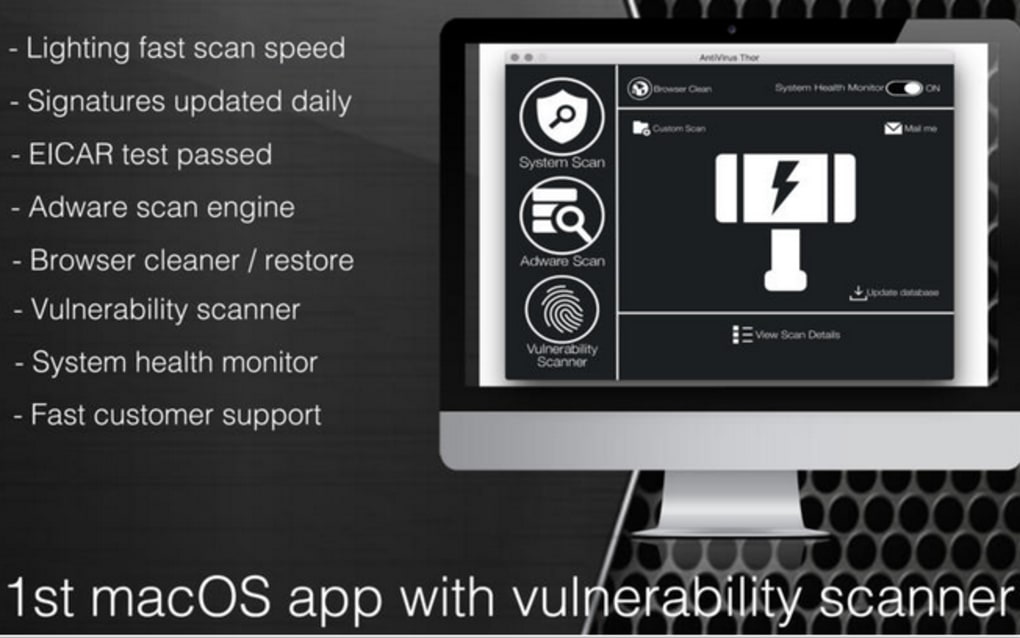
- Fast, multi‑core scanning that completes full system scans in under 10 minutes on average.
- Real‑time protection against viruses, Trojans, ransomware, and rootkits.
- Heuristic and cloud‑based detection for zero‑day threats.
- Integrated ad‑ware and pop‑up blocker for smoother web‑surfing.
- Weekly system vulnerability assessments and health reports.
- One‑click browser history and cache cleaner for all major browsers.
- Lightweight UI that stays out of the way while providing detailed scan logs.
- 24/7 customer support with live chat and email options.
Installation, Usage & Compatibility
Step‑by‑Step Installation Guide
Installing Thor Antivirus is straightforward, designed for users who prefer a “download‑and‑run” experience. First, visit the official Thor website and click the Download Free Trial button. The installer (approximately 45 MB) works on Windows 10/11, macOS 10.15+, and the latest Linux distributions (via .deb or .rpm packages). After the download completes, run the installer and follow the on‑screen prompts:
- Accept the End‑User License Agreement.
- Choose the installation directory (default is C:\Program Files\Thor Antivirus).
- Select optional components: Real‑time protection, System‑Health Suite, and Browser Cleaner.
- Click “Install” and wait for the progress bar to finish (typically under 2 minutes).
- Restart the computer if prompted to complete driver integration.
- Launch Thor from the desktop shortcut or Start menu.
Upon first launch, Thor will prompt you to update its virus definitions. This initial update pulls the latest signatures from the cloud and usually completes within a minute on a standard broadband connection.
Using Thor on a Daily Basis
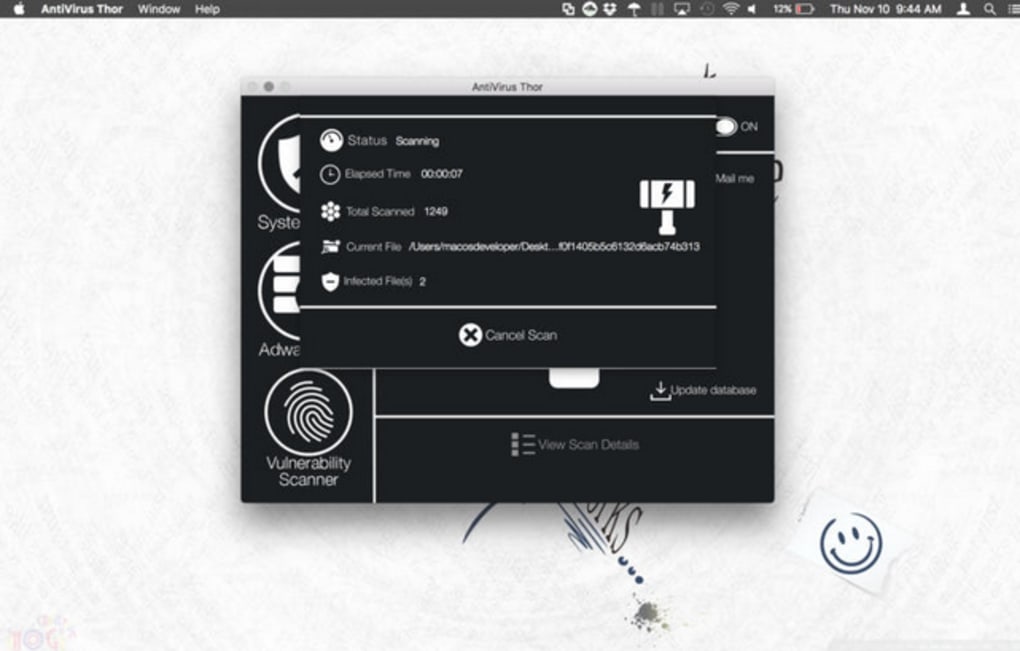
The main dashboard presents three primary tabs: Scan, Health, and Cleaner. The Scan tab offers three options – Quick Scan (focuses on high‑risk areas), Full Scan (deep scan of all files and partitions), and Custom Scan (user‑selected folders). Real‑time protection runs silently in the background, indicated by a green shield icon in the system tray.
The Health tab shows a color‑coded risk meter, highlighting vulnerable drivers or outdated software. Clicking on a warning opens a detailed view with “Fix Now” buttons that either download patches or recommend safe alternatives. The Cleaner tab provides a single button labeled “Wipe Browsing Data,” which clears history, cache, and cookies across all installed browsers.
For power users, Thor includes an advanced settings page where you can schedule automatic scans, configure exclusions, and adjust the sensitivity of the heuristic engine. All settings are stored locally, with an optional cloud sync for multi‑device environments (available in the paid version).
Operating System Compatibility Windows 10/11, macOS 10.15+, Linux (Ubuntu, Fedora, Debian, openSUSE). Mobile support is currently limited to a companion Android app that displays real‑time threat alerts, but the core engine runs only on desktop platforms.
Pros, Cons & Frequently Asked Questions
Pros
- Exceptionally fast scanning speeds without sacrificing detection rates.
- Comprehensive system‑health checks that go beyond basic virus removal.
- Lightweight UI that doesn’t consume excessive RAM or CPU resources.
- Integrated ad‑ware blocker improves browsing experience.
- One‑click browser cleaner removes potential back‑door residues.
- Responsive customer support with live chat available 24/7.
Cons
- No native iOS app; mobile protection is limited to Android alerts.
- Occasional false‑positive alerts on newly released software.
- Advanced settings can be overwhelming for absolute beginners.
- Free trial limits real‑time protection to 7 days; full features require a paid license.
- Some users report needing to manually select the HD volume for each full scan.
FAQ – Your Thor Antivirus Questions Answered
Is Thor Antivirus safe to download from third‑party sites?
For security reasons, always download Thor directly from the official website. Third‑party mirrors may bundle unwanted software or outdated installers.
How often does Thor update its virus definitions?
Definitions are refreshed every 30 minutes via a cloud service, ensuring protection against the latest threats.
Can Thor run alongside other antivirus programs?
It’s not recommended. Running two real‑time scanners can cause conflicts, false positives, and performance degradation. Use Thor as your sole security solution.
Does Thor support automatic backups of quarantine items?
Yes, the quarantine folder can be set to auto‑backup to a user‑specified location, allowing safe restoration if needed.
What is the refund policy for the paid version?
Thor offers a 30‑day money‑back guarantee. Contact support within the window and they’ll process a full refund.
Conclusion – Should You Download Thor Antivirus?
Thor Antivirus delivers on its promise of speed, simplicity, and system‑wide health monitoring. Its ability to pass EICAR tests demonstrates a high detection rate, while the lightweight design ensures that everyday tasks remain responsive. For users who value a clean interface, fast scans, and extra features like ad‑ware blocking and browser cleaning, Thor is a compelling alternative to heavyweight competitors such as Kaspersky or Norton.
The few drawbacks—limited mobile coverage, occasional false positives, and the need for a paid license for full‑time protection—are outweighed by the robust feature set and responsive support. If you’re looking for a secure, fast, and affordable solution that does more than just virus removal, download Thor Antivirus today and experience a faster, healthier computer environment.







